
Asset Management Overview
Asset management is TestNet's core module, supporting systematic entry, discovery, classification, and management of enterprise network assets.
Asset System & Graph Architecture
TestNet's asset repository is built upon 8 core asset models. By dynamically linking hierarchical relationships across "Company -> Domain -> Subdomain -> IP -> Port -> Web -> API/Vulnerability", the platform automatically generates a comprehensive topology map of your network footprint.
Detailed Asset Models & Linkage Rules
For exact entity field definitions, unique fingerprint identifiers, and automated cascading resolution rules, please see our dedicated guide: Asset Graph Models.
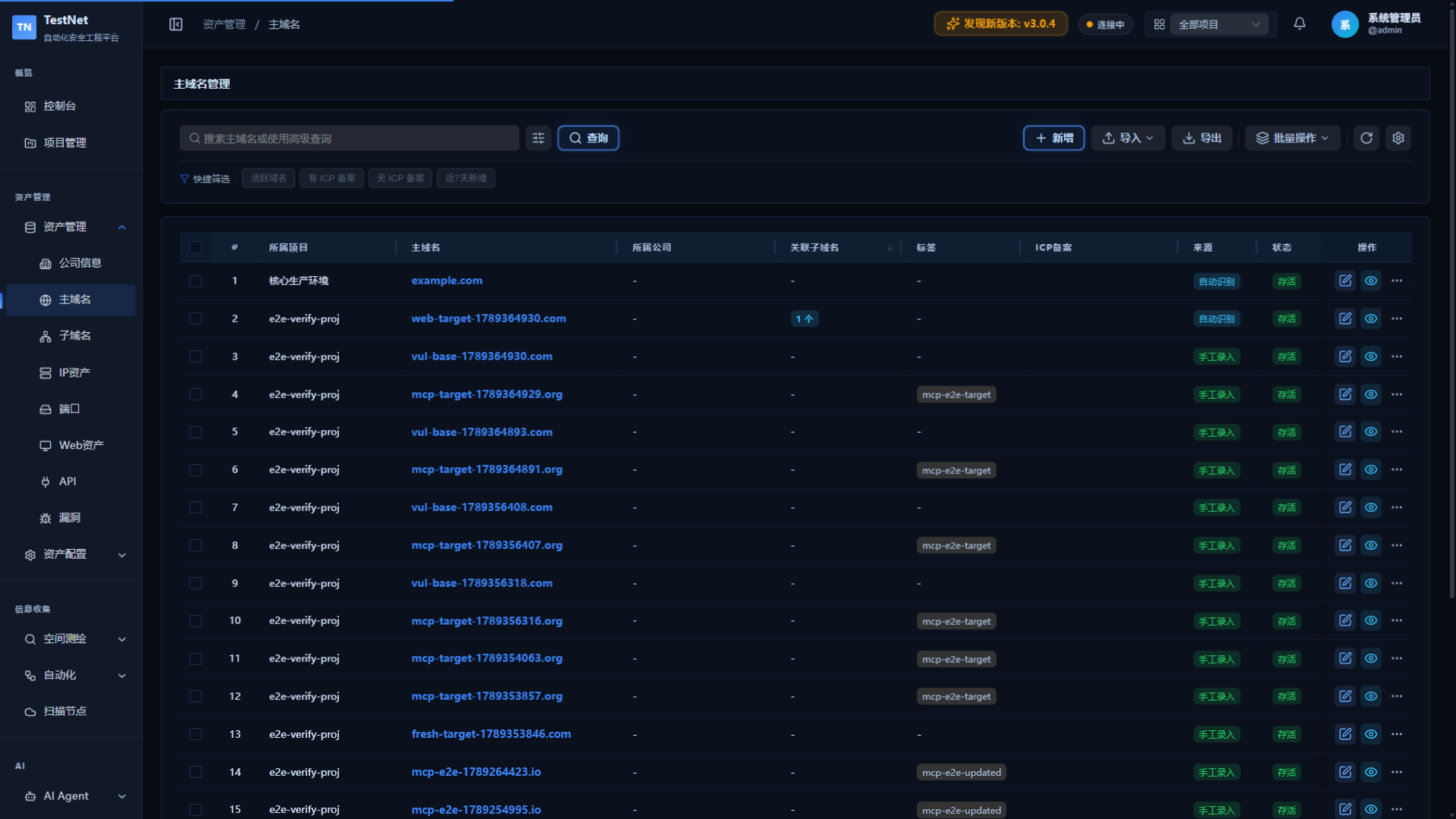
Common Operations
All asset types support the following operations:
List Operations
| Operation | Description |
|---|---|
| Search | Keyword fuzzy search |
| Advanced Filter | Multi-condition composite filter (tags, status, time, etc.) |
| Sort | Click column headers to sort |
| Pagination | Adjust items per page (20/50/100) |
| Export | Export to Excel file |
| Import | Batch import from Excel |
| Add | Manually add a single record |
Batch Operations
Select multiple records to execute:
| Operation | Description |
|---|---|
| Batch Delete | Delete selected assets |
| Batch Tag | Set tags for selected assets |
| Batch Status Update | Mark selected assets active/inactive |
| Run Workflow | Execute a workflow on selected assets |
| Run Tool | Execute a single security tool on selected assets |
Single Record Operations
| Operation | Description |
|---|---|
| Edit | Modify asset fields |
| Delete | Delete a single asset |
| View Details | View complete fields and associated assets |
| Change History | View the asset's historical modification records |
Asset Rules
The asset rule engine runs automatically on every asset save/update, supporting three rule types. For detailed configuration and best practices, see Asset Tagging & Smart Rules.
Access Rules (Blacklist / Whitelist)
Block assets that do not meet conditions, or only allow assets within the whitelist:
Example: Only public IPs may be registered — assets hitting a blacklist condition (e.g., internal ranges) are rejected on save.
Auto Tagging
Automatically append tags using a "field + matching algorithm + value" rule model:
Example: A subdomain containing api is automatically tagged API Asset.
Ownership Mapping
Automatically fill in asset owner and department based on rules:
Example: Subdomains ending with .finance.example.com are automatically assigned to the "security-team".
Asset Tags
Tags are a flexible classification method that can be used for filtering and batch operations.
Adding Tags
- Manual addition: Click "+ Tag" in asset details
- Batch addition: Select multiple records and execute "Batch Tag"
- Auto-tagging: Configure asset tag rules for automatic matching
Using Tags to Filter
Select tags from the tag filter dropdown at the top of the list page to quickly filter assets.
Import & Export
Assets support Excel batch import/export: imports automatically merge updates by unique fingerprint (results are categorized as created / updated / failed), and exports save the current filtered results as an Excel file. For template download, step-by-step instructions, and result details, see Asset Operations.
Change History
Every asset add, edit, and delete is automatically recorded, with field-level before/after comparison and one-click rollback. See Asset Operations for the entry point and rollback steps.
Related Documentation
- 8 Core Asset Models — Complete definitions of Company, Domain, IP, Port, Web, API, and Vulnerabilities
- Batch Operations & Audit Trail — Excel import/export, batch actions, and history log
- Asset Tagging & Smart Rules