
Workflow Overview
Workflows are the automation core of TestNet, orchestrating multiple tools through DAG (Directed Acyclic Graph) to achieve end-to-end automated asset discovery and security scanning.
Core Concepts
Workflow
A workflow consists of a series of nodes connected through dependency relationships and data flows, forming a directed acyclic graph (DAG).
[Subfinder] → [Httpx] → [Nuclei]
      ↘                 ↗
       [Amass] → [Dnsx]
Node
Each node corresponds to a tool invocation, which can be configured with:
- Input sources (from upstream node outputs or external inputs)
- Parameter overrides (modify tool default parameters)
- Timeout and retry strategies
Trigger Types
| Type | Description |
|---|---|
| Manual Trigger | User manually executes, requires selecting input assets |
| Cron Schedule | Automatically executes on a regular schedule via Cron expression |
| Auto Trigger | Automatically triggered when new assets are created (asset linkage) |
Workflow Lifecycle
A workflow definition has two enabled states; execution states belong to each run instance:
Workflow definition: ENABLED ⇄ DISABLED (pauses cron/auto triggers)
Run instance:        RUNNING → COMPLETED / PARTIAL / FAILED / CANCELLED
Preset Workflows
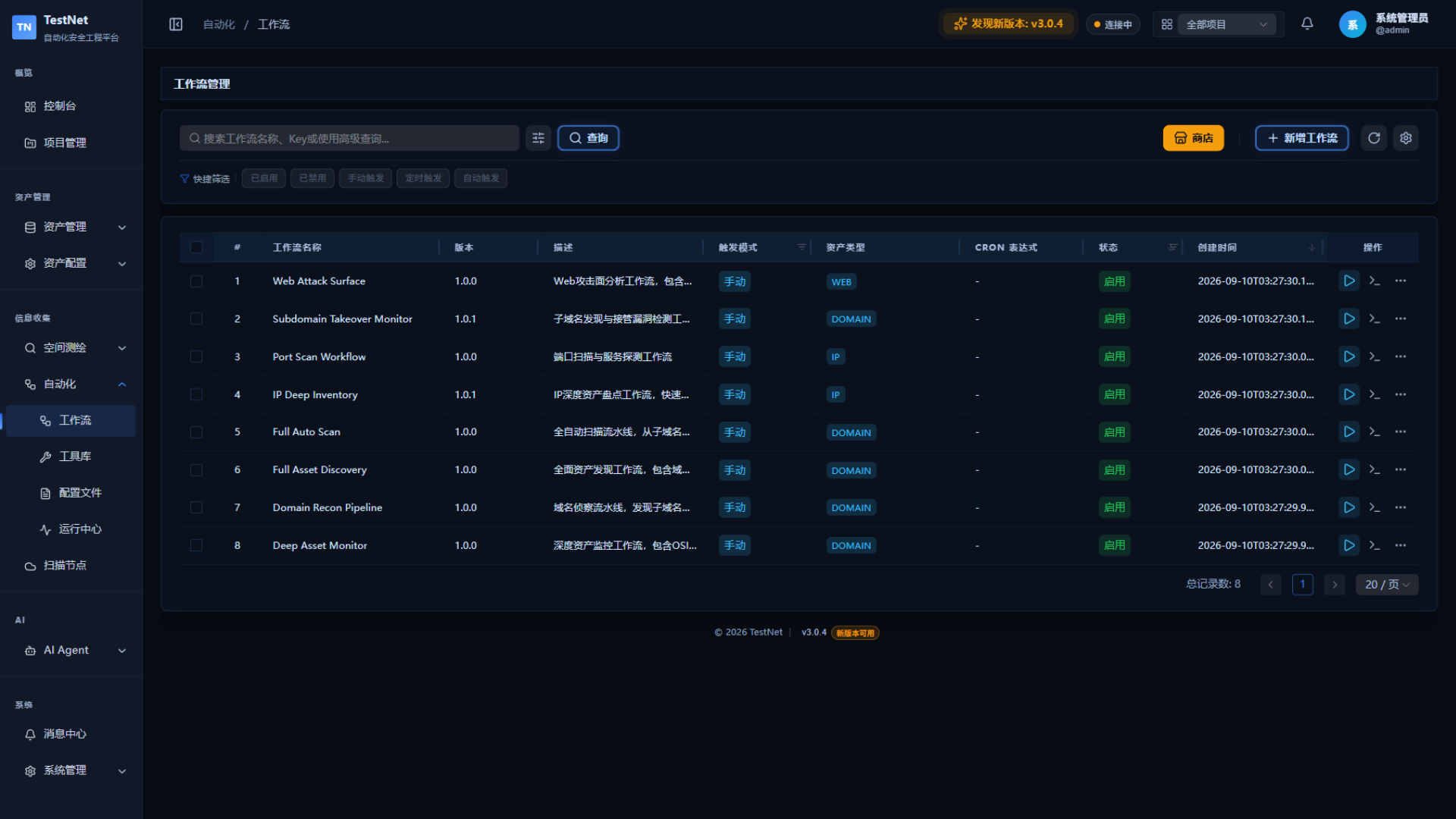
The TestNet tool store provides 8 preset workflows that can be installed and used directly:
| Registry Name (shown in store) | Description | Use Case |
|---|---|---|
| Domain Recon Pipeline | Subdomain discovery + web probing | Comprehensive domain asset discovery |
| Full Asset Discovery | Complete chain from company to vulnerability | New project initial scan |
| Port Scan Workflow | IP port discovery + service identification | IP asset port scanning |
| Web Attack Surface | Web attack surface discovery, incl. directory brute-forcing and SQL injection testing | Web asset inventory |
| IP Deep Inventory | Comprehensive IP port/service scanning | Deep IP asset scanning |
| Subdomain Takeover Monitor | Periodic takeover risk detection | Continuous monitoring |
| Deep Asset Monitor | Periodic asset change monitoring | Scheduled monitoring |
| Full Auto Scan | End-to-end automation | Comprehensive scanning |
Quick Start
Install Preset Workflow
- Go to "Automation" → "Workflows"
- Click "Store"
- Select "Domain Recon Pipeline" → "Install"
Execute Workflow
- Find the installed workflow in the workflow list and click "Run" (or "Debug Run" in the designer)
- Enter the target assets (e.g., the target domain)
- Confirm to start execution
View Execution Results
- Open the "Run Center"
- View the tool tasks generated by the workflow
- After tasks complete, review discovered assets in the matching Asset Management lists