
Project Workbench
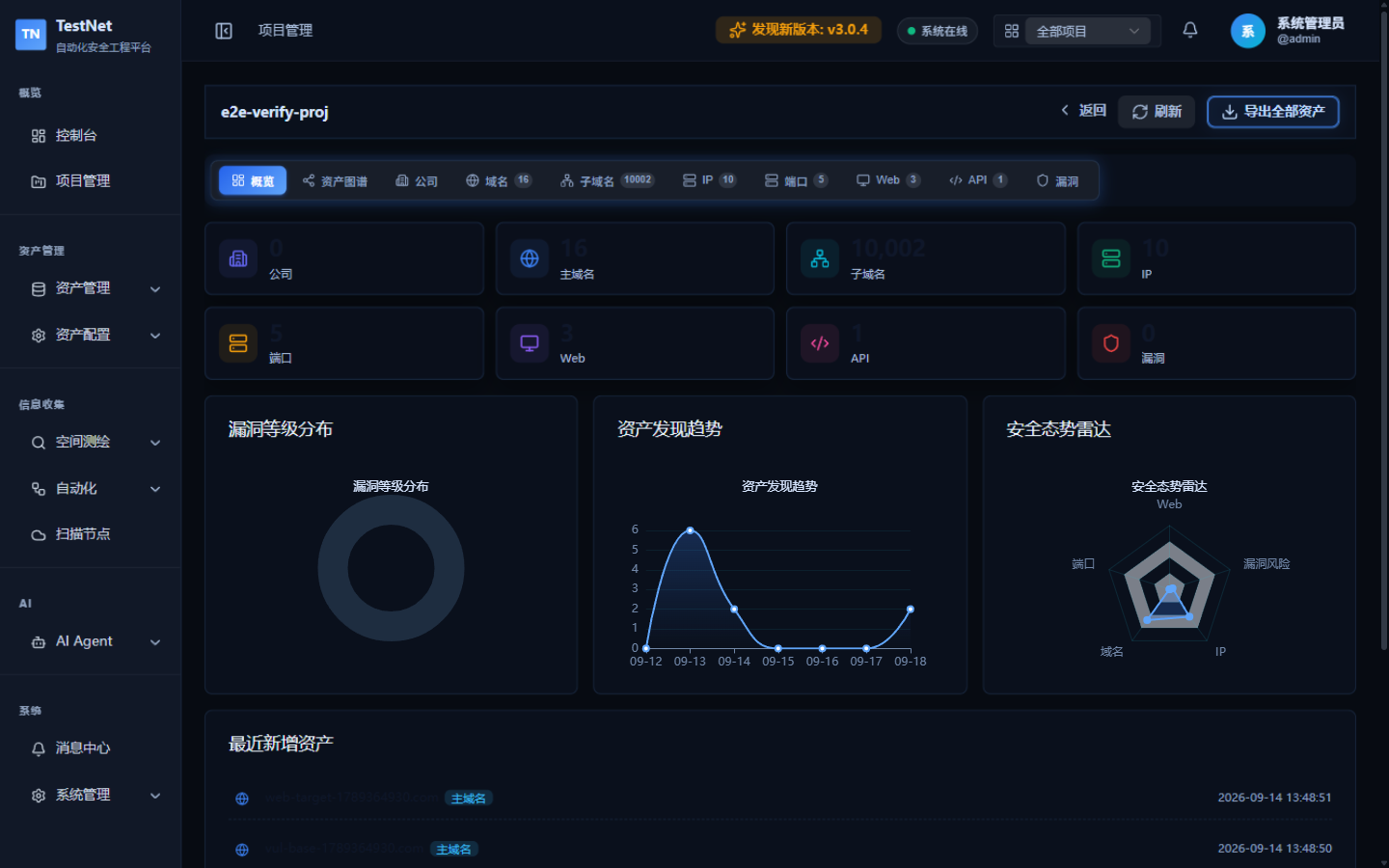
To enable security teams to focus deeply on specific business units, subsidiaries, or client scopes, TestNet provides the Project Workbench. The workbench consolidates asset inventory summaries, vulnerability risk breakdowns, and recent asset activity into a single cohesive cockpit.
Accessing the Workbench
Click "Project Management" in the left sidebar, then click any project's name (or its workbench entry) in the project list. The platform switches the active project context and opens the workbench.
Core Modules
1. Asset & Risk Posture Summary
The top of the workbench aggregates the project's key metrics across all 8 asset types:
- Organization & exposure: company entities, root domains, subdomains.
- Infrastructure: public and private IP counts, open ports.
- Business services: identified web applications and API endpoints.
- Security risk: total unresolved vulnerabilities.
Clicking any metric card switches to the matching asset tab below the workbench, with the current project filter applied automatically for seamless drill-down.
2. Posture Charts
The workbench provides three posture charts:
- Vulnerability Severity Distribution (donut chart): breakdown of project vulnerabilities by severity (info / low / medium / high / critical).
- Asset Discovery Trend (line chart): asset growth curve over time.
- Security Posture Radar: a multi-dimensional view of the project's security posture.
3. Asset Tabs & Recent Activity
- Asset tabs: browse the project's assets directly across 8 asset-type tabs, with the same filtering and pagination controls as the asset lists.
- Recently added assets: the bottom of the overview shows the latest registered root domains (up to 6), making it easy to spot new attack surface.
- One-click export: click "Export All Assets" in the top-right corner of the workbench to bundle all 8 asset types of the current project into a zip archive.
Best Practices
- Managers dispatch scans: review the high-risk asset distribution on the workbench, then launch scans for the current project from "Workflow Management".
- Pentesters follow up fast: use "Recently added assets" to catch newly registered root domains and start targeted deep testing immediately.
- Periodic reporting: base weekly security reports directly on the workbench metrics and posture charts.
Related Documentation
- Project Overview — project lifecycle and context switching
- Asset Graph — the three graph views in the workbench tab
- Workflow Overview — launch automated scans for the current project