
Workflow Designer
TestNet features an enterprise-grade FlowEditor Workflow Studio, uniting a CodeMirror 6 code editor with interactive DAG topology validation. It supports JSON Schema real-time validation, dependency cycle detection, mock/real debug runs, and one-click execution dispatching.
1. Creating Workflows & Loading Templates
Navigate to "Automation" -> "Workflows":
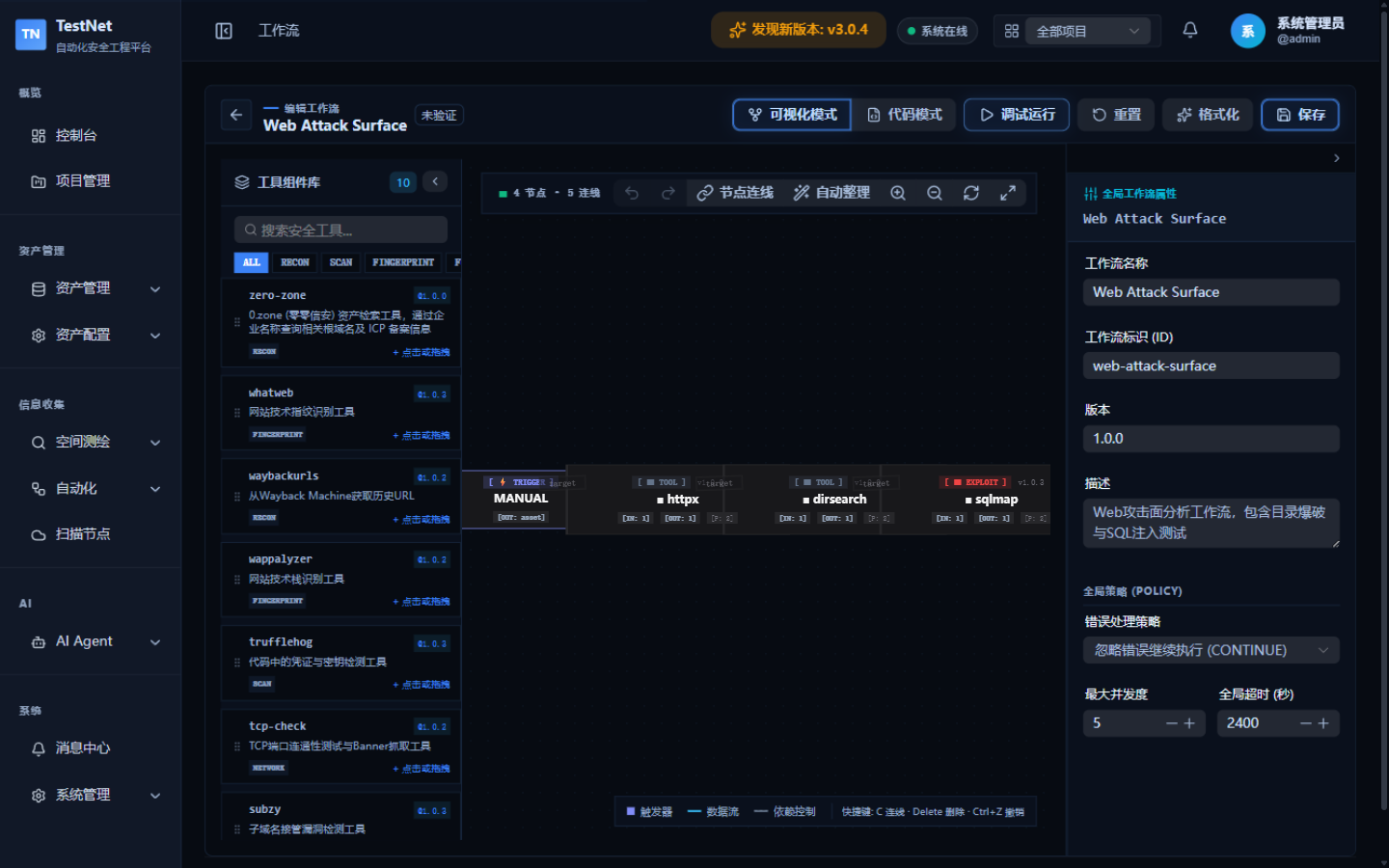
- One-Click Store Installation (StoreDrawer): Click "DSL Store" to browse 8 pre-packaged official workflows (e.g., Full Asset Discovery, Domain Recon Pipeline, Full Auto Scan, Web Attack Surface). Click "Install" to pull the latest verified YAML contract instantly.
- Visual Creation: Click "New Workflow" in the top-right corner. The editor automatically generates a valid vNext starter template.
2. Online Editor & Real-Time Diagnostics
FlowEditor provides an IDE-like authoring experience:
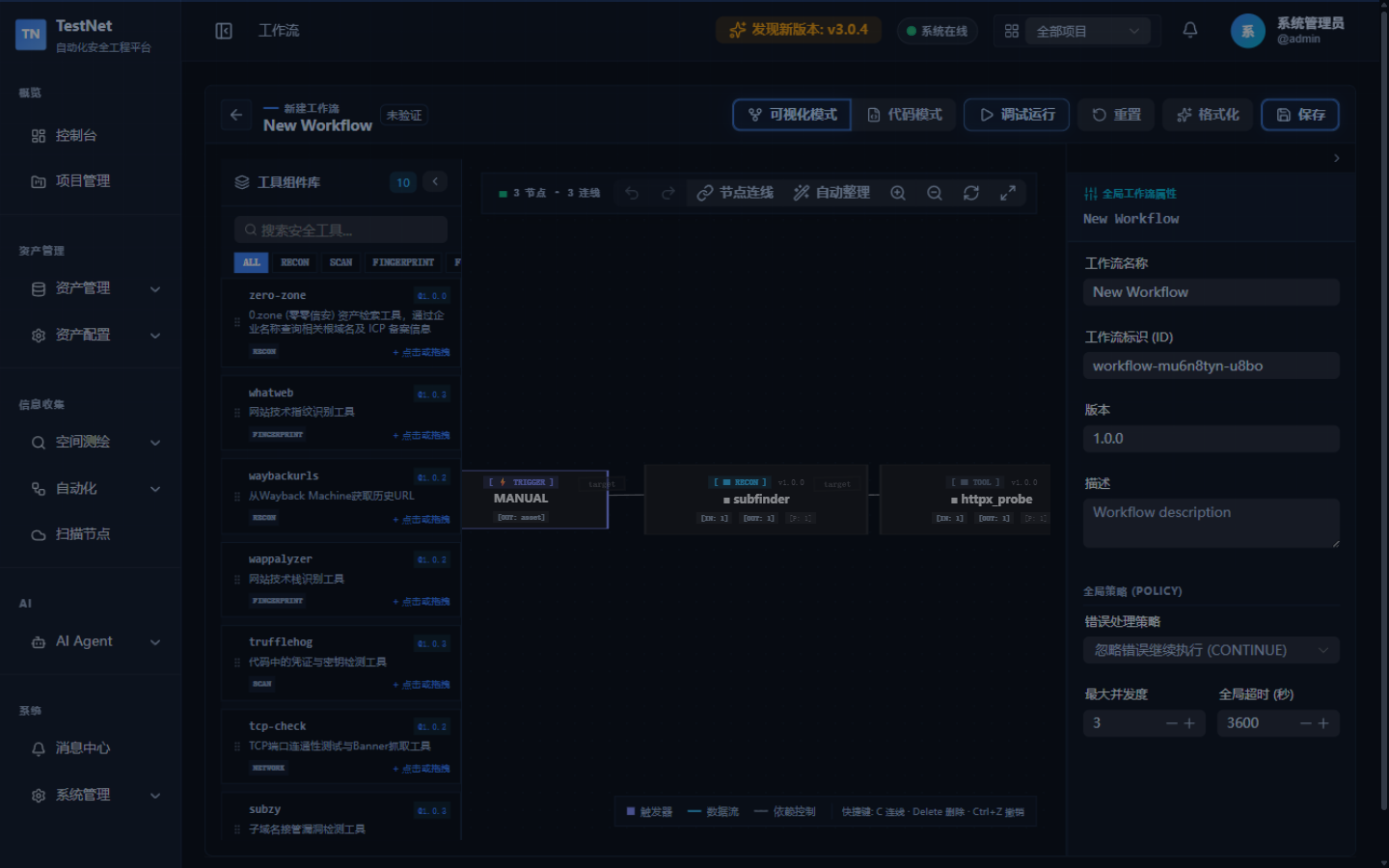
1. Real-Time Linting & Validation
- Schema Validation: The background validator validates field definitions on the fly. Invalid properties or missing required keys (
kind,metadata,spec.nodes) are flagged with red underlines. - DAG Cycle Detection: Instantly flags circular dependencies that would cause pipeline deadlocks.
2. Debug Runs (Mock / Real)
Before dispatching a workflow to live probe nodes, verify its parsing logic and data flow first:
- Click "Debug Run" above the editor to open the execution test modal;
- Mock execution: paste a sample of the tool's raw output (or leave empty to auto-generate from the output schema) and verify each node's output parsing and downstream parameter assembly;
- Real execution: dispatch an actual run against a live target (e.g.,
example.com) and watch each node's status and parsed output step by step in the result panel.
3. Execution Dispatch & Target Resolution
There are two ways to launch a workflow:
- Click "Run" on a workflow row in "Workflow Management";
- Click "Debug Run" in the designer.
Both open the execution test modal (ExecuteTestModal):
1. Target Input
- Provide targets as an asset JSON payload (a single root domain, a domain list, or IP ranges) along with the asset type;
- Use "Quick fill from history" to reuse inputs from previous executions.
2. Node Affinity & Target Resolution
- Once triggered, the built-in
TargetResolverEngineresolves targets per node according to each node's input bindings and asset types, assembling sub-assets into standardized Asset Envelopes; - Tasks are dispatched by the server to online scanning nodes; a node's execution capabilities (Docker/HTTP/DNS/TCP) determine which tools it can run. To separate workloads, narrow each node's pull scope with the Node Tool Whitelist.
After confirming, the platform compiles the DAG and instantiates the run in the background — follow live ANSI logs and progress in the Run Center.