
Tool Config & Sync
TestNet manages scanning tools via the tool store, configures default parameters, and syncs configuration files.
1. Tool Store & Hot Upgrades
Click "Store" in the top right of "Tool Management" -> "Tool List":
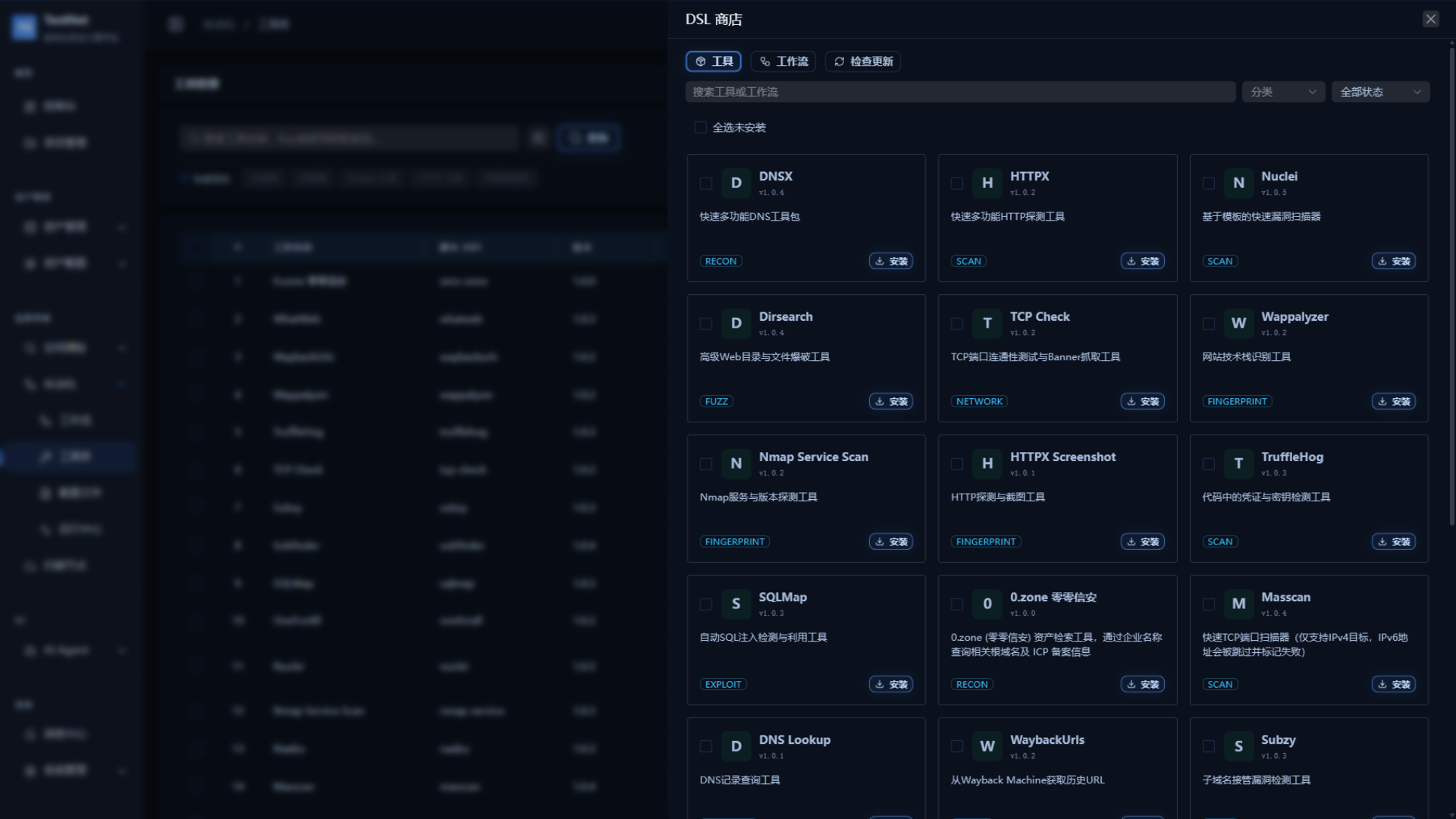
Steps
- Navigate to "Tool Management" → "Tool List"
- Click "Store" in the top right to open the drawer
- Browse or search for the desired tool (filter by category)
- Click "Install" to add the tool to your local library
- For installed tools with available updates, an "Update" button appears — click to apply instantly without restarting services
Built-in Tools
The platform ships with 24 pre-configured security tools covering subdomain enumeration, port scanning, vulnerability detection, web fingerprinting, and more. See Built-in Tools.
2. Tool Editing & Runtime Parameters
Click "Edit" on a tool row to open the tool editor (CodeMirror with JSON Schema live validation) and maintain the tool DSL:
- Timeouts & Retries: set the max execution duration via
runtime.timeoutSeconds; retry behavior is available at the workflow level viamaxRetries; - Resource limits: Docker-based tools can declare networking and runtime options under
runtime.docker; - Parameter defaults: set a
defaultValueper parameter inspec.params; values can be overridden at dispatch time.
3. Remote Config File Sync
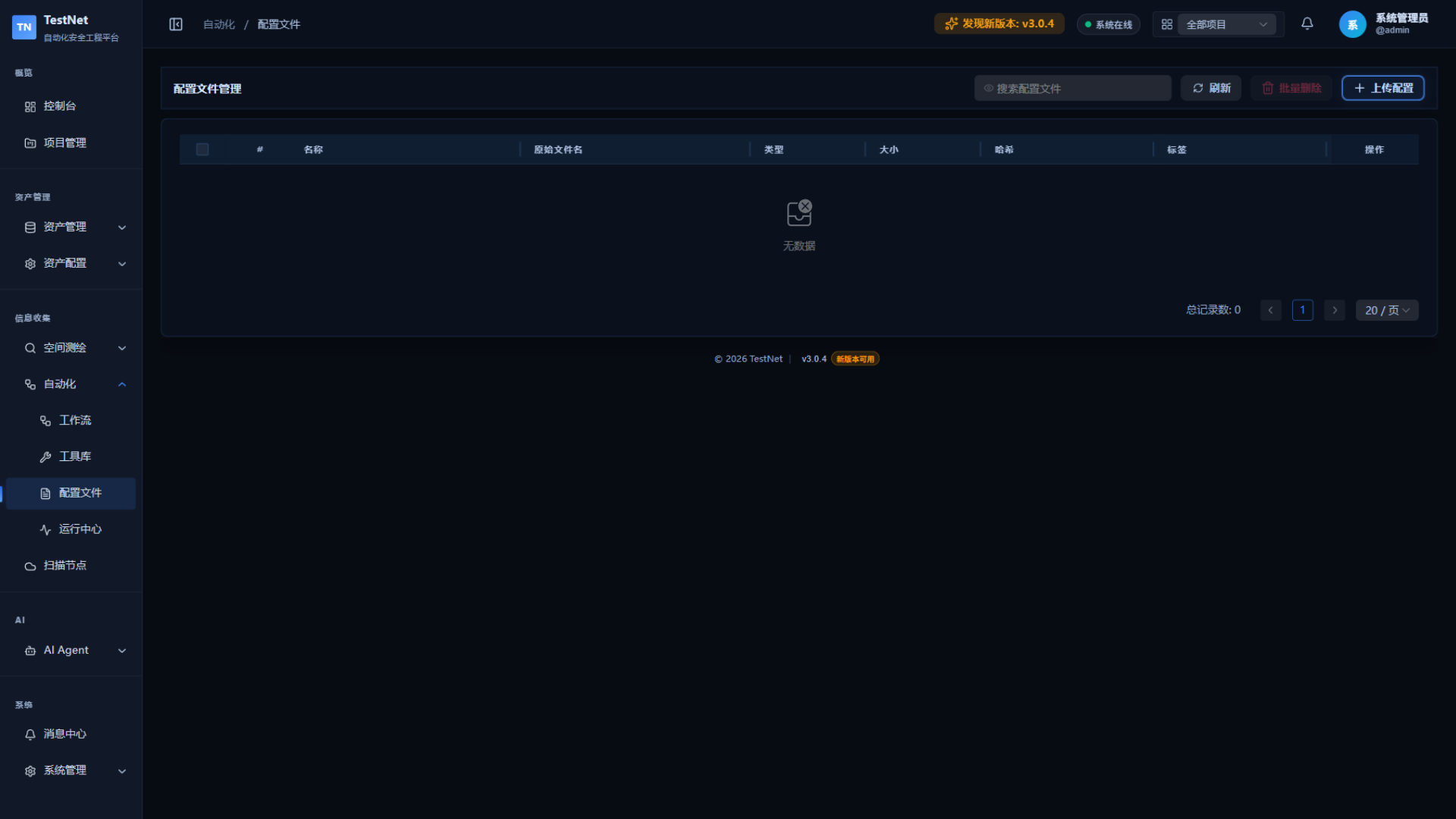
For tools requiring external rule libraries or config dictionaries (e.g., Nuclei templates, wordlists, API key files), TestNet provides remote config file sync:
Steps
- Navigate to the "Config File Management" menu
- Click "New" to upload or edit a configuration file online
- The system automatically records the version upon saving
- Reference the config file in the tool's execution settings
- Scanning nodes automatically verify and sync the latest version on task execution
Version Consistency
All scanning nodes always use the same config file version — nodes automatically pull the latest version.
Related Documentation
- Tool Overview — Tool categories and capabilities
- Built-in Tools — 24 pre-configured security tools
- Workflow DSL Reference — Referencing tools in workflows
- Node Sandbox & Security — Sandbox and config file mount security policies