
Tool Management Overview
Tools are the smallest execution units in TestNet for performing specific scanning tasks. Each tool encapsulates the invocation logic of a security tool.
Tool List
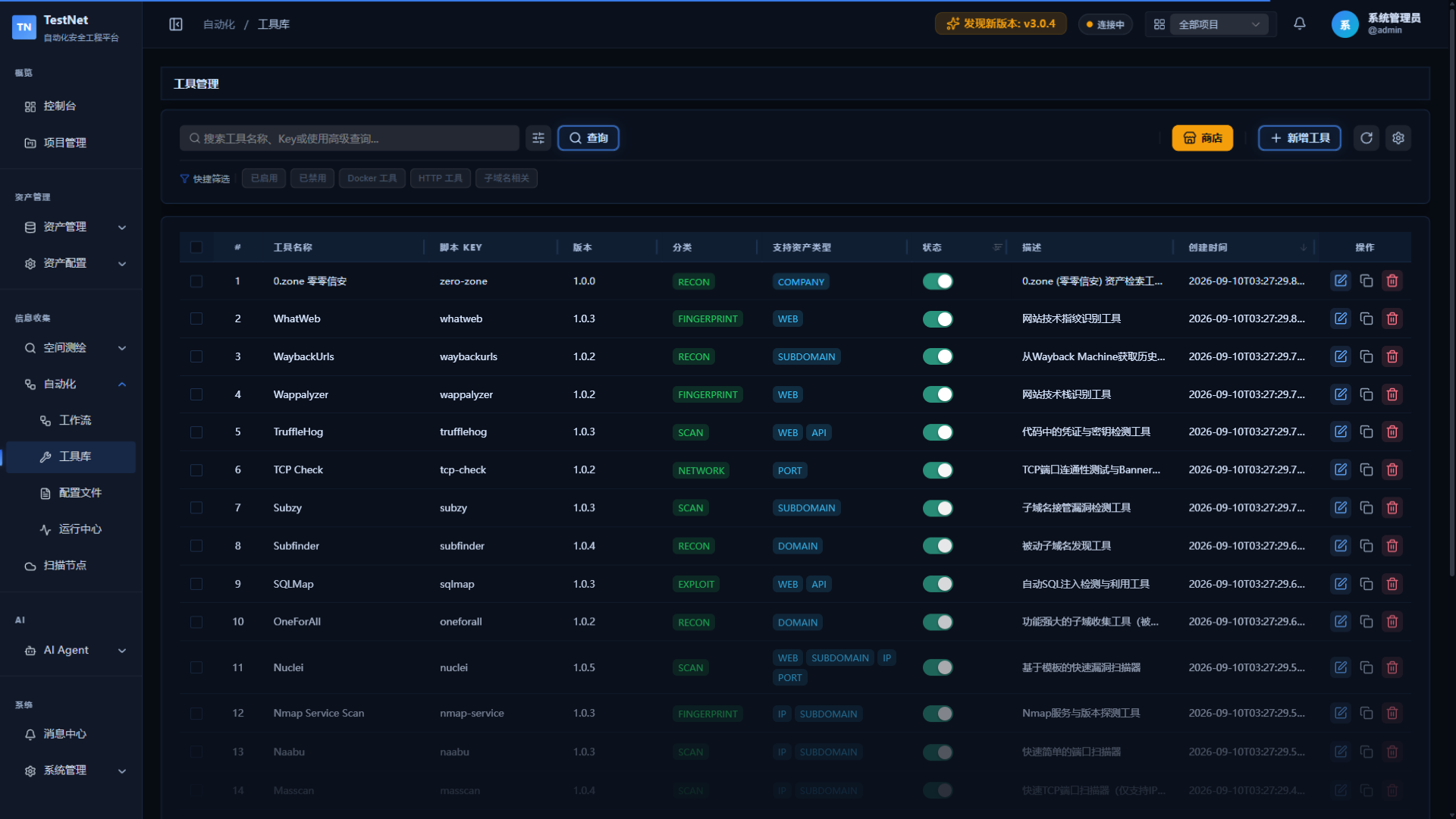
Go to "Tool Management" → "Tool List" to view all installed tools:
| Field | Description |
|---|---|
| Tool Name | Display name of the tool |
| Tool ID | Unique identifier (e.g., subfinder) |
| Version | Currently installed version |
| Category | RECON / SCAN / NETWORK / FUZZ / FINGERPRINT / EXPLOIT |
| Status | Available / Disabled |
| Last Updated | Version update time |
Tool Categories
Tools are grouped by the registry category field into six categories covering the full recon-to-exploit chain:
| Category | Responsibility |
|---|---|
RECON | Reconnaissance & collection (subdomain discovery, DNS resolution, historical URLs, enterprise mapping) |
SCAN | Active scanning (liveness probing, port scanning, vulnerability templates) |
NETWORK | Native network probing (built-in HTTP/DNS/TCP executors) |
FUZZ | Fuzzing (directory brute-forcing, parameter fuzzing) |
FINGERPRINT | Fingerprinting (tech stacks, service versions, page screenshots) |
EXPLOIT | Exploitation & verification (SQL injection, etc.) |
For which tools belong to each category — with each tool's inputs/outputs and image details — see the full Built-in Tools catalog instead of repeating it here.
Tool Details
Click a tool name to view tool details:
- Basic Information: Name, version, description, category
- Input/Output: What input types the tool accepts and what output types it produces
- Parameter List: Supported parameters with descriptions and default values
- DSL Definition: Raw YAML definition file
Related Documentation
- Store & Config File Sync — Store installation, defaults, and remote config file sync
- 24 Built-in Tools List — Detailed descriptions of all tools