
System Configuration
Navigate to "System Management" → "System Configuration" in the left sidebar. Global parameters are organized into four collapsible panels: Email, File Storage, DSL Registry, and Temp File Cleanup.
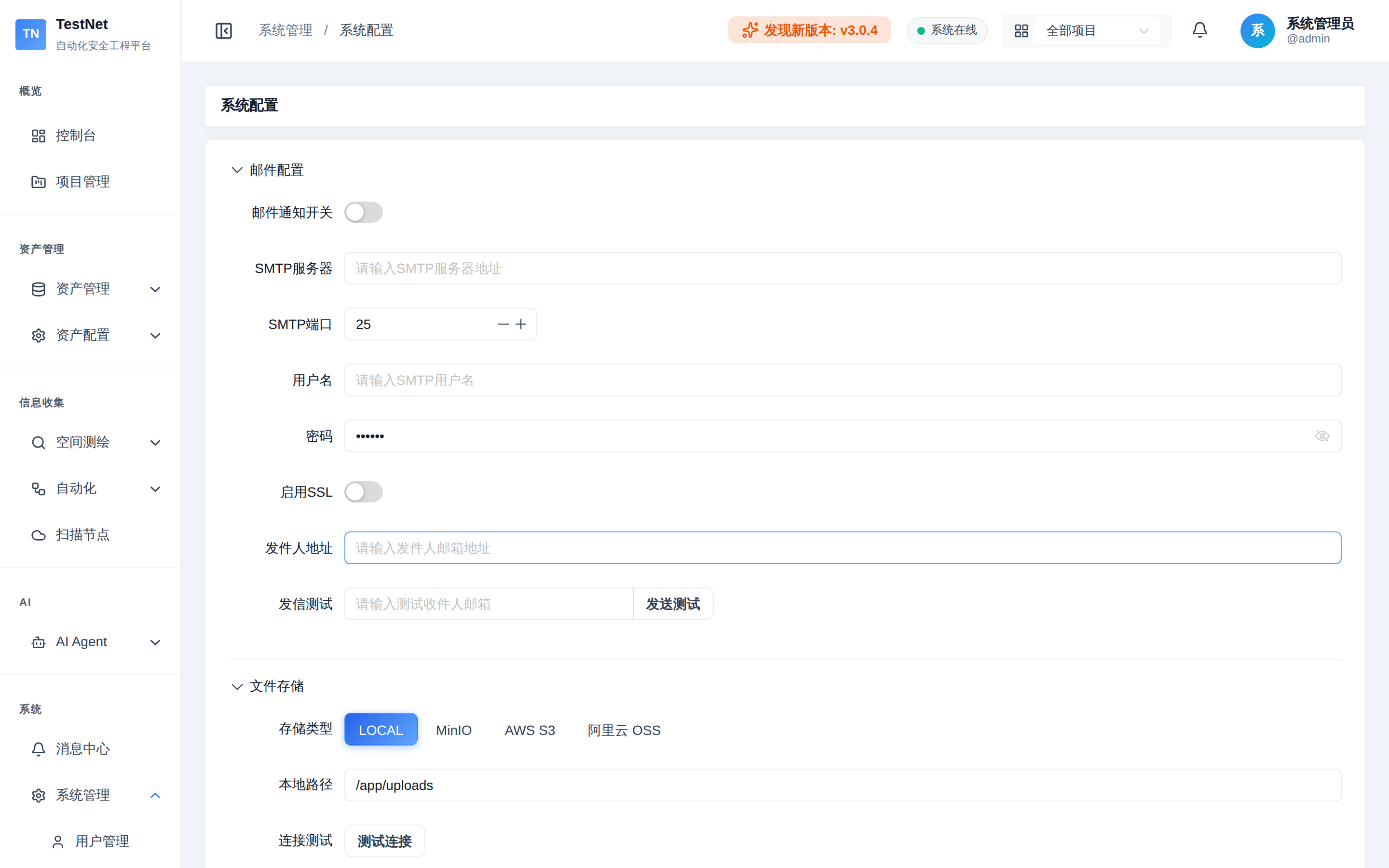
Email Configuration
The outbound channel for system notification emails (used together with Alert Channels & Rules):
| Item | Description |
|---|---|
| Email Toggle | Master switch; when off, no notification emails are sent |
| SMTP Server | e.g., smtp.exmail.qq.com |
| SMTP Port | 465 (SSL) / 587 (TLS) |
| Username / Password | SMTP authentication account and authorization code |
| Enable SSL | Usually required for port 465 |
| Sender Address | The From mailbox of notification emails |
Click "Send Test Email" to verify connectivity after configuring. Common provider presets (Gmail / Tencent Exmail / Alibaba Mail) are covered in Alert Channels & Rules.
File Storage
Storage backend for task output files and uploads:
| Item | Description |
|---|---|
| Storage Type | LOCAL (local disk) / MINIO / S3 / OSS |
| Local Path | Storage directory in LOCAL mode |
| Endpoint / Access Key / Secret Key / Bucket / Region | Object storage (MINIO/S3/OSS) connection parameters; not required in LOCAL mode |
DSL Registry Configuration
Remote repository address and authentication for the tool/workflow Registry store, used to install and update DSL definitions:
| Item | Description |
|---|---|
| Registry URL | Repository address |
| Auth Type | NONE / TOKEN / BASIC |
| Token / Username / Password | Credentials for the selected auth type |
Temp File Cleanup
Automatically cleans temporary files produced during scans to prevent disk exhaustion:
| Item | Description |
|---|---|
| Enable Auto Cleanup | Master switch |
| Retention (hours) | Files older than this are removed (1–720 hours) |
| Cleanup Directories | Directories to sweep |
| File Patterns | Glob patterns, e.g., *.log, tmp_* |
Related Documentation
- Alert Channels & Rules — full SMTP steps and event subscription
- Tool Config & Sync — Registry store installation and sync
- System Overview — system management modules overview